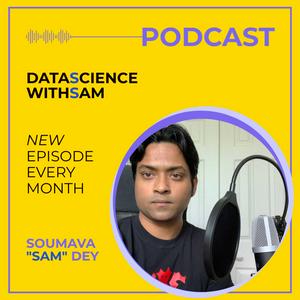
PodcastsScienceData Science With Sam

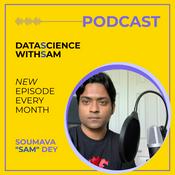
Data Science With Sam

Soumava Dey
Data Science With Sam
Latest episode

36 episodes

  • Data Science With Sam

    EP 36: NVIDIA GTC 2026: Everything That Matters - Recapped

    28/03/2026 | 13 mins.
    Jensen Huang took the stage at SAP Center in San Jose on March 16th and announced that NVIDIA now expects one trillion dollars in chip orders through 2027 — double the forecast from just one year ago. Sam breaks down the five biggest stories from GTC 2026 in under 10 minutes.

    In this episode: the Vera Rubin platform (7 new chips, 5 rack types, built for inference and agentic AI), the Groq 3 LPU (NVIDIA's $20B inference play), NemoClaw (the enterprise-ready agentic AI stack built on viral open-source project OpenClaw), the autonomous vehicle announcement with Uber and seven major automakers, and the Nemotron Coalition for open frontier models.

    Whether you're building in ML, working in data, or just trying to stay ahead of where AI infrastructure is heading - this is your less than 15-minute briefing.

    Links:

    NVIDIA GTC 2026 Press Kit: nvidianews.nvidia.com/online-press-kit/gtc-2026-news

    Jensen Huang Keynote On Demand: nvidia.com/gtc/keynote

    Vera Rubin Press Release: nvidianews.nvidia.com/news/nvidia-vera-rubin-platform

    GTC 2026 Sessions On Demand: nvidia.com/gtc/
  • Data Science With Sam

    EP 35: Who Actually Controls AI? The Governance Gap Explained

    23/03/2026 | 6 mins.
    There's no international treaty governing AI, no agreed definition of "safe AI," and nobody with actual authority over frontier model deployment. A handful of CEOs make decisions with civilizational implications while governance structures lag years behind.

    This episode examines who's responsible for AI governance. The current state? Fragmented and lagging. The US has no comprehensive federal AI legislation—Biden's executive order was rolled back under Trump. The EU AI Act is most comprehensive but heavy provisions don't kick in for years. China's regulation focuses on censorship over safety. The UK AI Safety Institute does serious work but has no enforcement authority.

    What's working? AI safety institutes are building evaluation capacity. Open-source releases like DeepSeek enable external research. Academic safety community advances interpretability work. Market pressure matters—Anthropic gained users by taking public safety stands.


    Three urgent needs: mandatory disclosure requirements for high-capability systems, international coordination with shared evaluation standards (AI safety summits need teeth), and public deliberation beyond experts and officials.


    This concludes the AI Governance and Regulation series. People who understand AI deeply - technically, commercially, ethically, politically - will shape governance's future. Stay curious, stay critical, never outsource thinking to any single company or voice.
  • Data Science With Sam

    EP 34: DeepSeek R1 vs GPT-4: The $6M Model That Changed AI Economics

    23/03/2026 | 7 mins.
    In January 2025, Chinese AI lab DeepSeek released DeepSeek R1—a model matching GPT-4 class performance at a fraction of the training cost. It wiped $600 billion off NVIDIA's market cap in a single day. Twelve months later, the ripple effects are still reshaping the AI industry.

    This episode cuts through the "China beats America" headlines to explain the actual technical and economic implications. DeepSeek R1 benchmarked comparably to OpenAI's O1 on reasoning tasks. The shock wasn't performance—it was cost. DeepSeek claimed under $6 million in training costs versus hundreds of millions for comparable Western models.

    What changed: The assumption that massive compute spending creates an insurmountable moat for frontier AI models was proven wrong. Smaller labs with less funding can now compete effectively. This turbocharged efficiency research across all AI labs globally.

    The DeepSeek moment was a genuine inflection point—not because China won an AI race, but because it proved the rules of competition differ from industry assumptions. Efficiency matters as much as scale. Open weights change deployment strategies. The global AI ecosystem is multipolar in ways it wasn't two years ago.

    Essential listening for data scientists tracking model economics, ML engineers exploring efficiency techniques, and tech leaders navigating AI geopolitics and competitive strategy.
  • Data Science With Sam

    EP 33: Agents Everywhere: What Agentic AI Actually Means for Your Job

    18/03/2026 | 7 mins.
    Everyone's talking about agentic AI, but there's a gap between the hype ("AI will do your job for you") and the reality, which is more nuanced and frankly more interesting. The word "agentic" has officially crossed from technical jargon into buzzword territory—simultaneously everywhere and nowhere. Everyone's using it, few can define it precisely. This episode cuts through the noise to explain what agentic AI systems actually are, what they can and cannot do today, and the realistic implications for people working in data, tech, and knowledge work.

    What is an agent? Traditional AI interaction: you send a prompt, the model produces a response, done. An AI agent is different: it takes a goal, breaks it into steps, takes actions in the world (browsing the web, writing and running code, calling APIs, managing files), observes results, and iterates until the goal is achieved or it gets stuck. The key agentic feature: it operates across multiple steps autonomously without you manually directing each one.

    Examples include OpenAI's Claude (consumer-facing), but in enterprise settings, agents are being deployed for automated customer support escalation, multi-step data pipeline management, code review and testing workflows, and research synthesis across large document sets.

    What can agents do today in early 2026? Agents are reliable for well-defined, bounded tasks with clear success criteria—taking support tickets, classifying them, drafting responses, flagging uncertain ones for human review. But for autonomously managing complex, open-ended strategic projects? Still unreliable. Failure modes include hallucinations, tool use errors, context window limitations in long tasks, and difficulty recovering gracefully when something unexpected happens mid-task. These are real limitations the best researchers are actively working on.

    The realistic workforce impact right now is task displacement rather than job displacement. Specific tasks within jobs are being automated: first drafts of documents, initial data analysis, standard code patterns, customer FAQ responses. Higher-order judgment, stakeholder navigation, creative problem framing, and ethical calls remain under human control.

    For data scientists specifically, repetitive engineering work is most likely to be automated: data cleaning pipelines, standard visualizations, model deployment scripts. But statistical thinking, algorithmic design, understanding model outputs, and evaluating trustworthiness remain human responsibilities. The work becoming more valuable: knowing what questions to ask, evaluating whether AI output is trustworthy, and designing systems that fail safely.

    The advice: become a power user of agentic tools before your role requires it. Not because you'll be replaced by an agent, but because practitioners who understand these tools deeply will be disproportionately effective. Learn how to prompt agents for complex multi-step tasks, evaluate outputs critically, and understand failure modes so you can deploy humans strategically.

    Agentic AI is real, useful today for specific tasks, and improving rapidly. The hype is ahead of the reality, but not by as much as you might think.
  • Data Science With Sam

    EP 32: AI Discovers Drugs: The 2026 Clinical Trial Moment for AI in Biotech

    16/03/2026 | 7 mins.
    For years, AI in drug discovery has been a promise—billions invested, hundreds of papers published, dozens of startups founded, but actual drugs coming out the other end? Not yet. This is changing in 2026. Several AI-discovered drug candidates are now entering mid-to-late stage clinical trials. This is the year the receipts arrive for AI in drug discovery.

    The biotech industry is calling 2026 a landmark year. For a sector that's been hyped as much as it's been scrutinized, the fact that we're finally getting real clinical data on AI-designed drug candidates is a big deal. Multiple candidates discovered and optimized using AI systems are now in Phase 2 and Phase 3 clinical trials, primarily focused on oncology and rare diseases—areas where existing options are limited and financial incentives for innovation are high.

    Companies furthest along include Insilico Medicine, Recursion Pharmaceuticals, and Exscientia. Their drug candidates were identified by AI systems analyzing massive biological datasets and predicting molecular structures likely to interact with disease targets in useful ways. What used to take teams of medicinal chemists years to accomplish, these systems can explore in weeks—a massive boost for clinical trial phases by reducing R&D time.

    Why this matters: Traditional drug discovery takes 10-15 years and over $1 billion per approved drug. Most candidates fail—the attrition rate in clinical trials is brutal. AI's promise is dramatically improving the hit rate by better predicting which candidates will actually work before spending money on trials. Even a modest improvement in clinical trial success rates would have enormous downstream impact on human health.

    But 2026 is a stress test. Clinical trials expose whether AI-predicted drug behavior holds up in actual human biology, which is extraordinarily complex. AI models are trained on known data; when candidates reach trials, you're testing the model's ability to generalize to real biological complexity that wasn't in training. Early signals have been mixed—some candidates performing well, others hitting unexpected toxicity issues. The honest answer: we don't know yet how much AI improves success rates at the clinical stage.

    For data scientists interested in this space, the most interesting current work is in molecular property prediction, protein structure modeling building on AlphaFold, and multi-objective optimization across efficacy, safety, and synthesizability simultaneously. Recursion's operating system approach treats drug discovery as a data problem end-to-end—one of the most ambitious attempts to apply ML infrastructure thinking to biology at scale.

    AI in drug discovery is no longer just a story about potential—it's now a story about evidence. The next two years of clinical data will either validate or seriously challenge what's been claimed.

More Science podcasts

About Data Science With Sam

This is an educational podcast focused on bringing academia and industry experts together in a common forum and initiate discussion geared towards data science, artificial intelligence, actuarial science and scientific research. DISCLAIMER: The views and opinions expressed in this podcast are solely those of the host(s) or guest(s) and do not necessarily reflect the policy or position of any organization. The podcast is intended to provide general educational information and entertainment purposes only.
Podcast website

Listen to Data Science With Sam, All In The Mind and many other podcasts from around the world with the radio.net app

Get the free radio.net app

  • Stations and podcasts to bookmark
  • Stream via Wi-Fi or Bluetooth
  • Supports Carplay & Android Auto
  • Many other app features